
Sonnet Breakaway Box 850 T5
4.5Editor score
Thunderbolt 5 with 80Gbps
850W ATX PSU included
Triple wide GPU support
Discover the top ten Egpu Enclosures for Thunderbolt and USB4 laptops. Compare performance, compatibility, power delivery, and expansion features for 2026.
Choosing the right external graphics enclosure transforms your laptop into a powerful workstation or gaming rig. These devices connect desktop GPUs to thin clients via high bandwidth interfaces like Thunderbolt and USB4.
We evaluated ten leading models based on connectivity, power delivery, cooling efficiency, and physical compatibility. Our analysis focuses on real world performance potential for creators, gamers, and AI developers.
Each pick highlights unique strengths whether you need maximum bandwidth, modular power, or compact portability. Note that availability and stock vary by region and may change without prior notice or warning.
4.5Editor score

4.0Editor score
5.0Editor score
This table compares all ten top rated models side by side. Review specs like bandwidth, power capacity, GPU dimensions, and interface types to find the perfect match for your setup.


The Razer Core X V2 stands out as a top tier choice for users needing maximum flexibility and high speed connectivity. With Thunderbolt 5 support it delivers 80Gbps bandwidth for smooth rendering and gaming performance.
We may earn a commission when you buy through this link, at no additional cost to you.
Its four slot wide chassis supports nearly any desktop GPU allowing you to upgrade over time. The active cooling system with an adjustable 120mm fan keeps thermal levels stable even under heavy loads.
While the enclosure itself is robust remember you must supply your own GPU and power unit. The lack of included components adds complexity but ensures you choose the exact graphics card you need.
If you want a premium solution that adapts to future GPU releases the Core X V2 is a strong investment. Its high wattage PD delivery also keeps your laptop charged during intensive external GPU sessions.
Thunderbolt 5 support ensures you are ready for the next generation of high speed external devices.
Delivering 140W via USB C means your laptop stays charged without needing a separate charger.
We may earn a commission when you buy through this link, at no additional cost to you.
Sonnet delivers raw power with the Breakaway Box 850 T5. The included 850W power supply handles even the most demanding graphics cards without requiring extra purchases or upgrades.
We may earn a commission when you buy through this link, at no additional cost to you.
This model also features Thunderbolt 5 for 80Gbps bandwidth ensuring your GPU performs at its peak. The built in docking ports allow you to connect peripherals directly to the enclosure.
The active cooling fan adjusts automatically based on temperature keeping noise levels low during light tasks. It is a solid choice for professional workflows that demand reliability.
If you need guaranteed power for high end cards this enclosure simplifies setup significantly. The combination of speed and power makes it ideal for professional video editors.
An 850W PSU ensures you can install almost any current or near future graphics card immediately.
USB A and Ethernet ports turn the eGPU into a full docking station for your laptop.
We may earn a commission when you buy through this link, at no additional cost to you.
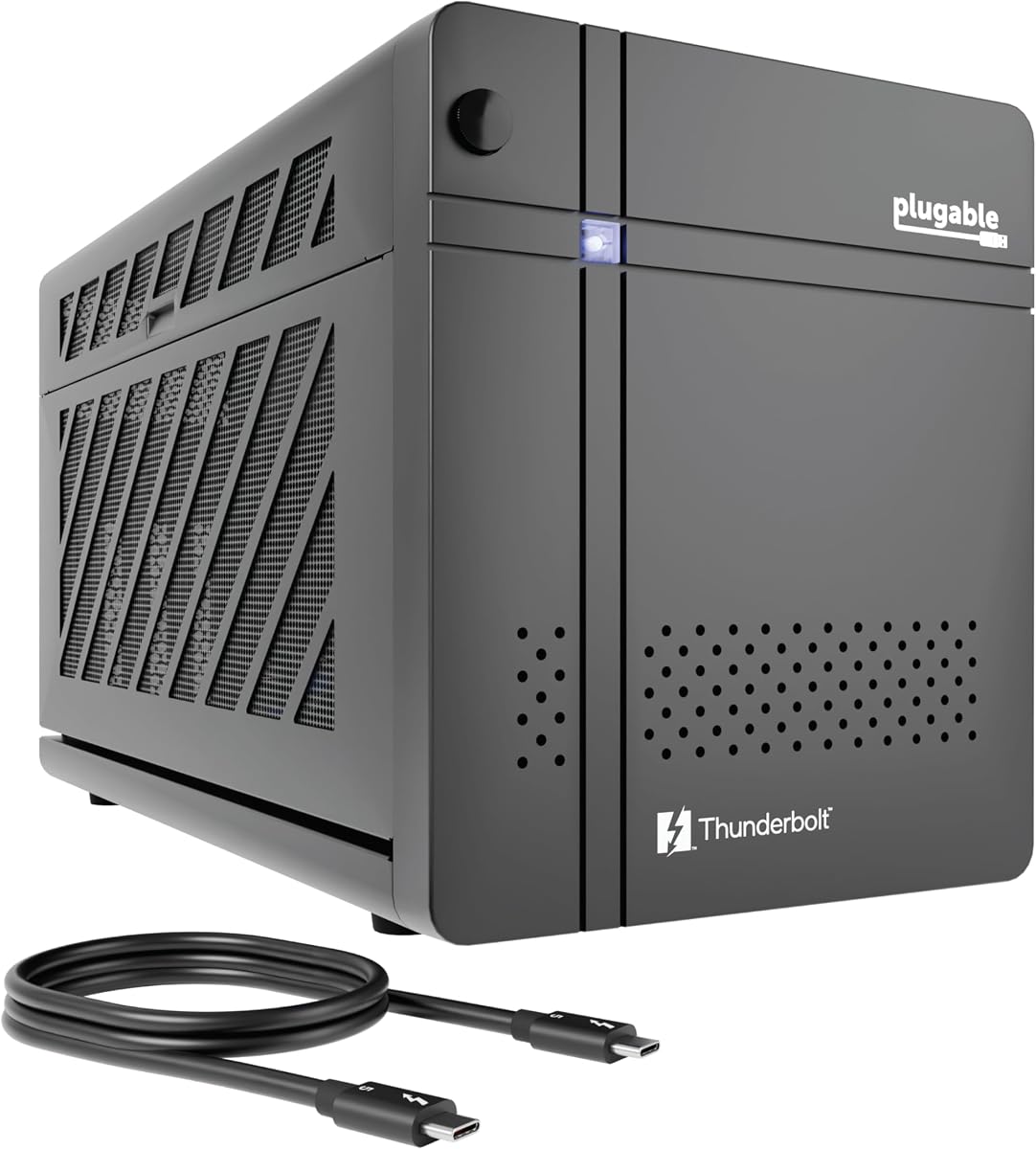
Plugable has created a unique enclosure specifically designed for running large language models locally. With 600W dedicated to the GPU it provides the sustained power AI applications often demand.
We may earn a commission when you buy through this link, at no additional cost to you.
The 850W Gold PSU ensures efficiency and stability during long training sessions. TAA compliance also makes it suitable for government or enterprise IT deployments requiring specific standards.
Unlike general purpose enclosures this model emphasizes privacy by allowing air gapped offline model runs. It connects via a single Thunderbolt 5 cable simplifying your workstation setup.
If you are an AI developer or privacy conscious user this enclosure offers specialized benefits. The lifetime support from Plugable adds significant value for business users.
Run models like Llama locally without sending data to the cloud for enhanced security.
Gold rated PSU ensures lower power consumption and heat generation compared to lower tiers.
We may earn a commission when you buy through this link, at no additional cost to you.
This enclosure offers a complete solution right out of the box with power and cable included. It supports Thunderbolt 4 speeds suitable for most current gaming and creative tasks.
We may earn a commission when you buy through this link, at no additional cost to you.
The anodized aluminum shell provides durability while remaining lightweight enough for travel. A custom carrying case ensures the unit and cables are protected during transport.
It supports Linux systems which is a major plus for open source users. However the GPU length limit means you must check your card dimensions before purchasing.
For users seeking a straightforward portable solution this kit removes setup guesswork. The included accessories make it ready for immediate use without extra shopping.
The inclusion of PSU and cable means you can plug in and start working instantly.
Lightweight construction and a dedicated case make this ideal for moving between locations.
We may earn a commission when you buy through this link, at no additional cost to you.
Designed with gaming handhelds in mind this Mini enclosure supports ROG Ally X and Claw 8 seamlessly. The 85W PD charging allows it to power the handheld directly during use.
We may earn a commission when you buy through this link, at no additional cost to you.
It accepts multiple power supply formats giving you flexibility based on available components. The extra USB ports let you attach peripherals without cluttering your laptop.
Official certification with the JHL7440 controller ensures stable data transfer speeds. This is critical for avoiding stutter during fast paced gaming sessions on external displays.
If you play on a handheld and want desktop level performance this is a practical upgrade. Its compact size makes it easy to slip into a travel bag.
Specifically tuned to work with popular gaming handhelds for enhanced portable gaming.
Supporting multiple PSU types means you can repower parts you may already own.
We may earn a commission when you buy through this link, at no additional cost to you.
The VK-Y900 brings advanced AI capabilities to Apple Silicon users through TinyGPU integration. It uses high grade PCB materials to ensure conductivity and resistance to oxidation over time.
We may earn a commission when you buy through this link, at no additional cost to you.
Dual Thunderbolt ports allow you to daisy chain other devices while charging your laptop. This setup keeps your workspace clean while maximizing utility.
It supports future GPU series ensuring your investment remains useful as new hardware arrives. The specialized team offers prompt technical help if you face connectivity issues.
This enclosure is particularly interesting for researchers working with local models. It bridges the gap between Mac hardware and NVIDIA or AMD GPU processing.
Enables Apple Silicon Macs to run complex AI models locally via TinyGPU.
ENIG PCB coating ensures long term reliability and stable electrical connections.
We may earn a commission when you buy through this link, at no additional cost to you.
This Thunderbolt 3 model remains a reliable choice for older laptops or specific workstation needs. The 750W power supply handles high end cards efficiently without overheating.
We may earn a commission when you buy through this link, at no additional cost to you.
It includes extra USB ports and Ethernet connectivity for a more complete desktop experience. This allows you to connect drives and networks directly through the enclosure.
Professional GPUs from NVIDIA and AMD are well supported for specialized workflows. It is ideal for users who need stability rather than the absolute latest interface speed.
If you have a compatible Thunderbolt 3 laptop this box delivers consistent performance. It balances cost and capability for those who do not need Thunderbolt 5 speeds.
Supports both Mac and Windows systems for versatile use across platforms.
Extra ports let you turn the GPU box into a full docking hub.
We may earn a commission when you buy through this link, at no additional cost to you.
This Mini enclosure is perfect for users who enjoy customizing their own setup. It supports various power supply types giving you freedom to choose based on your preference.
We may earn a commission when you buy through this link, at no additional cost to you.
Compatibility with USB4 and Thunderbolt systems ensures wide reach. However you should verify your controller via device manager before purchasing to avoid issues.
The design allows you to use the dock as a hub for additional Thunderbolt peripherals. This expands your connectivity options without needing a separate dock.
For hobbyists willing to handle some assembly this is a cost effective way to add GPU power. Always contact support if you are unsure about your device compatibility.
Supports multiple power standards so you can use existing supplies or buy new ones.
Dual ports allow daisy chaining to connect more devices to your computer easily.
We may earn a commission when you buy through this link, at no additional cost to you.
The DEG2 offers a unique hybrid interface supporting both Thunderbolt 5 and OCuLink for maximum speed. This dual mode allows switching between docking mode and pure GPU performance quickly.
We may earn a commission when you buy through this link, at no additional cost to you.
An M.2 NVMe slot on the dock lets you store models locally keeping them synced across devices. It is a clever feature for users who manage multiple hosts.
Built-in signal boosting ensures data transfers stay stable even during heavy loads like 8K rendering. Automatic power on adds convenience to your workflow routine.
This model is best for users who want to maximize bandwidth through OCuLink. It also supports universal power supplies giving you upgrade flexibility later.
OCuLink support reduces latency for a near native desktop experience.
Built-in M.2 slot stores files directly on the dock for faster access.
We may earn a commission when you buy through this link, at no additional cost to you.
This basic kit offers everything needed for entry level external GPU tasks. It includes a 240W PSU and carrying case so you can start using it immediately.
We may earn a commission when you buy through this link, at no additional cost to you.
The aluminum shell provides protection while keeping the unit light enough for travel. It supports Linux and Windows which broadens its appeal for different operating systems.
It fits shorter graphics cards which is fine for mid range gaming. The included cables and case simplify the unboxing experience significantly.
For casual users who want desktop performance without complexity this is an accessible choice. It removes barriers to entry by including all essential accessories.
Includes PSU and cables so you do not need to buy extra components.
Smaller dimensions make it easy to fit under desks or in bags.
We may earn a commission when you buy through this link, at no additional cost to you.
Selecting the right enclosure involves balancing speed, power, and physical compatibility. This guide breaks down the essential factors to consider for your specific workflow.
Thunderbolt 5 and USB4 offer 80Gbps bandwidth which reduces GPU bottlenecks significantly. If you have older Thunderbolt 3 or 4 you get 40Gbps which is still good for mid range cards.
Prioritize Thunderbolt 5 or OCuLink for high end GPUs like 4090s to avoid throttling.
Modern GPUs often draw 450W or more. Ensure the enclosure supports ATX or SFX power supplies with enough wattage to handle your specific card.
Check if the PSU is included or if you must buy it separately to plan your budget correctly.
Enclosures have strict length and slot width limits. Always measure your graphics card before buying to ensure it fits inside the chassis without physical interference.
Compact enclosures are great for portability but limit you to single or double slot cards.
Look for enclosures that offer PD charging to your laptop so you only need one cable. 100W or higher is recommended for gaming laptops that draw significant power.
If your laptop needs 200W charging you may still need the separate wall adapter.
Apple Silicon Macs have very limited eGPU support. Windows and Linux generally offer more flexibility especially with AMD cards or specific AI workloads.
Check the manufacturers compatibility list for your specific OS version before purchasing.
Some enclosures double as docking stations with USB A ports or Ethernet. This can save you from buying a separate hub or network adapter for your laptop.
Daisy chaining Thunderbolt ports lets you connect more devices without using extra laptop ports.
Active fans are necessary to keep desktop GPUs cool in an enclosed space. Variable speed fans help balance noise and performance during different usage scenarios.
Good airflow design prevents overheating which can otherwise lead to reduced GPU performance.
Choose reputable brands that offer lifetime or multi year support especially for complex electronics. This ensures help is available if you face driver or connectivity issues.
Enterprise focused options often come with TAA compliance for government or business procurement needs.
Always install the latest graphics drivers for your specific GPU before connecting it to the enclosure. This ensures smooth initialization and prevents driver conflicts on your laptop.
Connect the power to the enclosure first then the laptop cable to avoid signal handshake errors. Most devices have an automatic power on feature to simplify this step.
Keep the intake and exhaust vents clear of dust and debris to maintain airflow. Periodically clean the internal fan to prevent overheating and performance throttling over time.
Not all laptops support eGPUs. You need a Thunderbolt 3 4 or 5 port or USB4 support. Check your device manual to confirm if the port enables external graphics before purchasing an enclosure.
You can use most standard PCIe desktop GPUs but they must fit within the enclosures physical dimensions. Check the max length and slot width limits of your chosen model before buying a card.
Some enclosures include a power supply while others require you to purchase one. Always check the product details to see if a PSU is part of the package or sold separately.
Apple Silicon Macs do not support eGPUs for gaming. You may find limited support for AI workloads using specific software but official GPU acceleration is unavailable on M1 M2 or M3 chips.
Thunderbolt 4 loses some performance compared to internal slots but you still gain significant power over integrated graphics. Thunderbolt 5 or OCuLink minimizes this loss for high end cards.
Yes you can connect the enclosure to different laptops as long as they all support Thunderbolt or USB4. Just ensure the laptops are powered off or sleeping when switching connections.
If you plan to move the enclosure often a case protects the internal components and ports. Portable models often include one but larger units may require you to source your own storage.
If your card is longer than the enclosure allows it simply will not fit inside the chassis. You must choose a shorter card or select a different enclosure with larger internal dimensions.
We highlighted top picks like the Sonnet Breakaway Box 850 T5 for power and the Plugable AI Enclosure for specialized workloads. Each model offers distinct advantages for creators and gamers.
Prioritize bandwidth and power capacity based on your specific graphics card needs. A well matched setup ensures stable performance and future upgrades without replacing the whole unit.
Check current stock and availability before ordering since inventory changes frequently. Always verify your laptop compatibility to avoid returns or setup frustration after purchase.